Multi-workspace viewer apps for iOS and Android

One workspace, all your phones,
SMS on iOS, iPad, Android in real time

No SIM swap. No re-login. No per-device pricing. Add Android phones, add viewer apps independently. Each device gets a native push the moment an SMS arrives.

Free plan stays free. 100 SMS per month, 1 transmitter, unlimited viewers.

Six setups that broke before, work now

The shared pattern: SMS lives on one physical Android phone, but the people who need it are somewhere else, on a different device, or both.

1

Travel with two numbers

iPhone in your pocket abroad. Old Android with your home SIM stays with family. SMS from banks, OTPs and delivery services keep arriving on the iPhone over any data connection.

2

Family shared inbox

One Android collects OTPs from the family marketplace account. Parents read them on iPhone and an Android tablet at the same time. No more forwarding screenshots in a group chat.

3

Team with a corporate SIM

A single office Android holds the corporate number. Each manager gets a QR pairing scoped to one phone. They see only that phone's SMS, not anyone else's.

4

Freelancer juggling clients

Each client is a separate workspace inside one iOS app. Tap Settings, Connections, switch. Client A's SMS, then client B's SMS, in seconds, with zero re-login.

5

Backup or second SIM

A spare Android with a cheap SIM for signups and OTP codes. Your real iPhone sees the whole stream, no second device in your pocket.

6

Moving from Android to iPhone

Old Android stays at home as a forwarder. SMS tied to that number, banks, marketplaces, services, keeps reaching your new iPhone while you migrate one account at a time.
This is what it looks like

Screenshots from a real iPhone running the iOS app, paired to two workspaces at once.

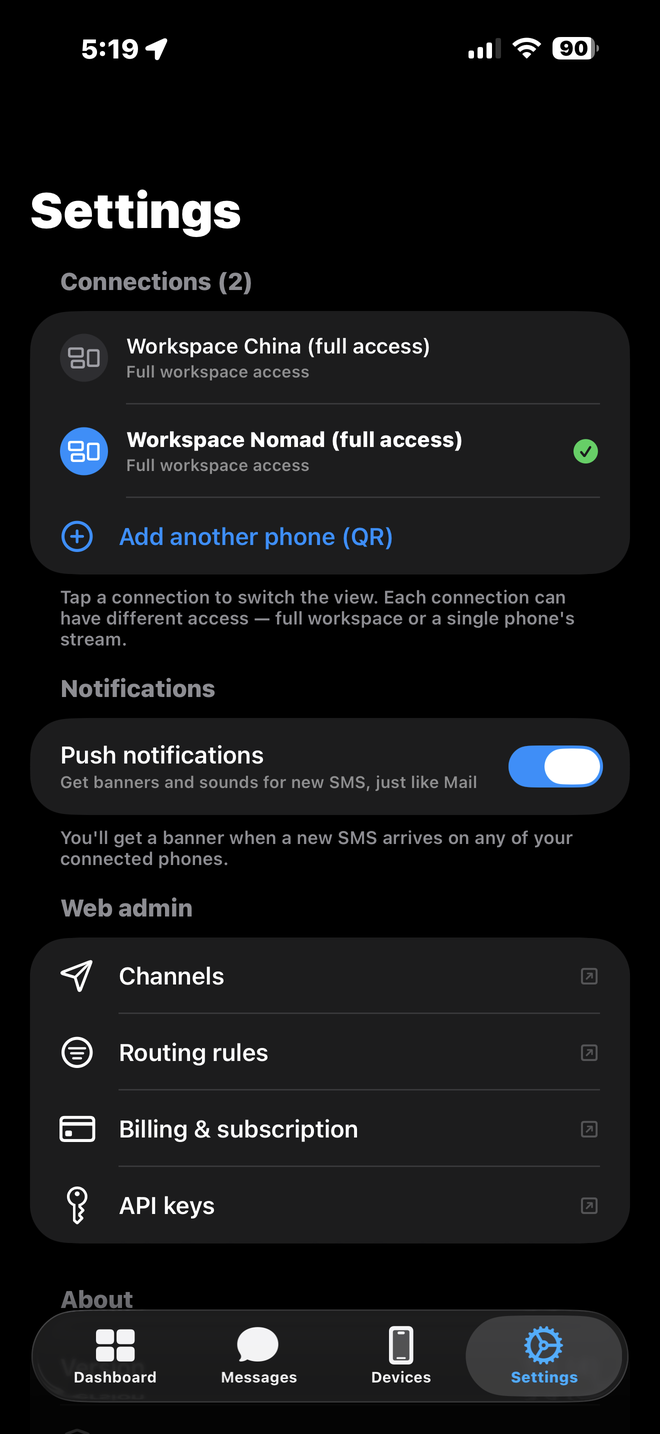
iOS Settings, Connections list showing two workspaces

Multi-workspace switch

Two workspaces paired in one iOS app, switch with one tap.

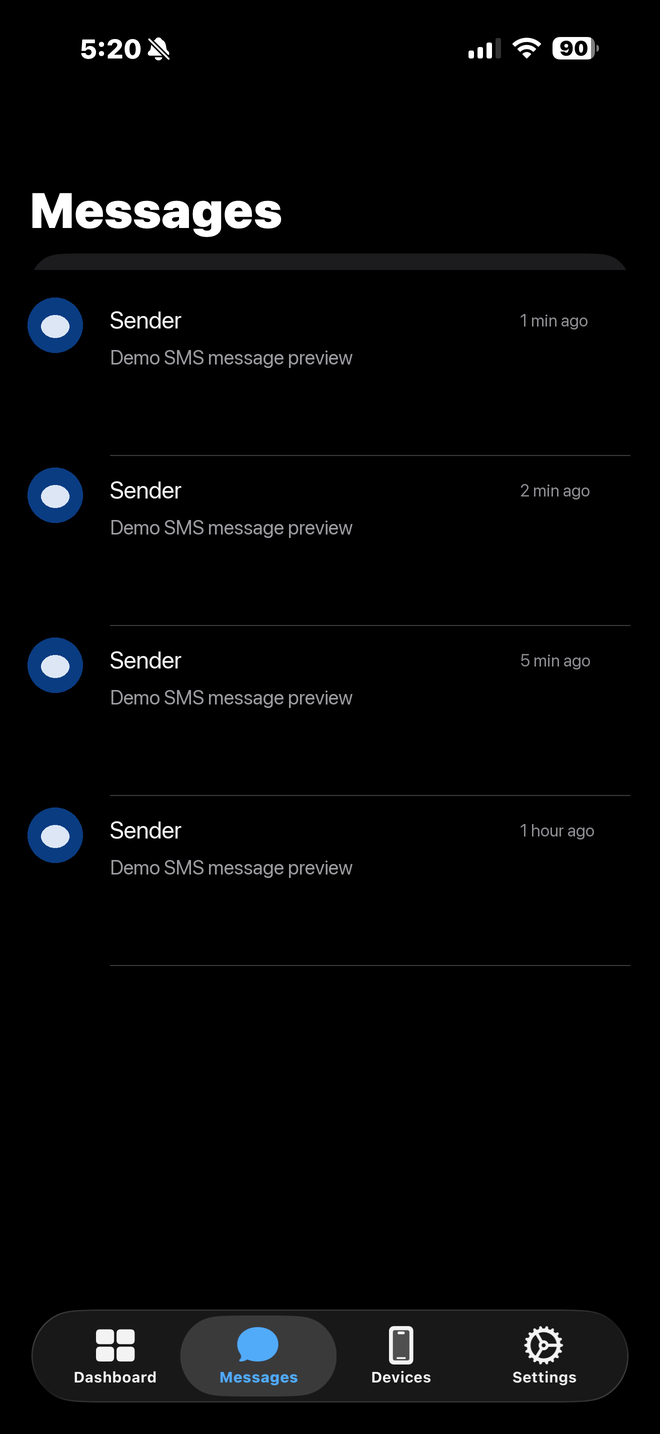
iOS Messages tab showing the live SMS inbox

Live Messages feed

Every SMS arriving on the paired Android shows up here in real time.

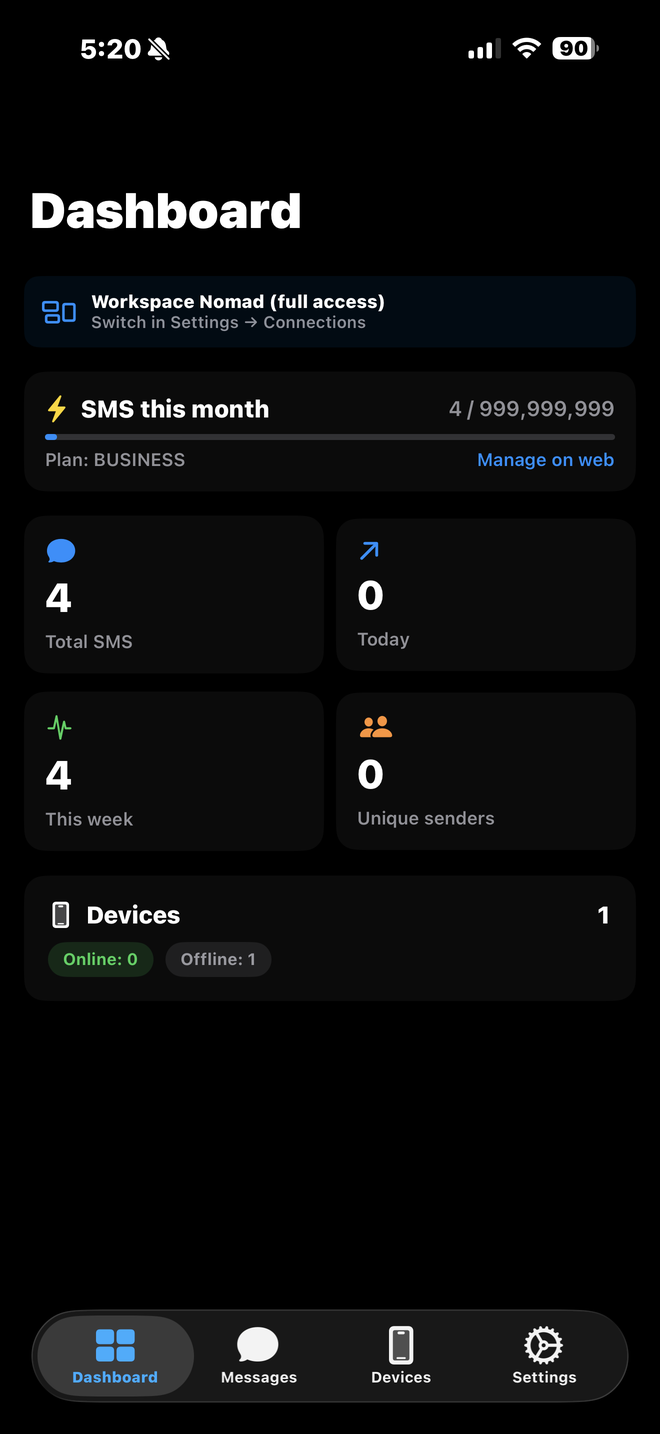
iOS Dashboard with the active workspace and monthly counter

Per-workspace dashboard

Active workspace, plan, monthly counter. Each workspace tracks its own quota.

Why not just forward to Telegram or email

The classic forwarders ship SMS to a chat or inbox. That works for one channel. It stops working the moment two people need different views of the same SMS stream.

iOS / Android viewer Telegram chat Email inbox Web admin
Native push on lock screen Yes In-app only No No
Multi-workspace from one app Yes No No Yes
Per-phone access scope Yes No No Yes
Unlimited viewers per plan Yes n/a n/a Yes
Works without a phone number Yes Yes Yes Yes

FAQ

Can I watch one SMS account from multiple devices at the same time?

Yes. Pair as many viewer devices as you want, iPhone, iPad, a second Android, a browser tab. Every paired viewer gets the SMS the moment it arrives. Viewer pairings are unlimited on every plan, including Free.

Can I give someone access to only one phone, not the whole workspace?

Yes. When you generate a pairing QR, pick scope "device" and point it at one transmitter. The paired viewer sees SMS from that one phone only. Other transmitters in the same workspace stay invisible to them.

Do viewer apps count against my device quota?

No. The "devices" limit on the pricing page counts transmitter phones only, the Androids that physically receive SMS on a SIM. Viewer apps on iPhone, iPad, Android or web are not counted. Free plan: 1 transmitter, unlimited viewers.

Do I need to transfer my SIM?

No. The SIM stays in the Android phone you already use as the transmitter. The iOS app receives a push copy of each SMS over your data connection, the SIM never moves.

Does this work when the transmitter phone is in another country?

Yes. The transmitter pushes SMS over any data path, mobile or Wi-Fi. Your viewer devices get the push through APNs (iOS) or FCM (Android), both work across borders without extra configuration.

Try it with one phone, no card

Free plan gives you one paired Android transmitter and unlimited viewer devices. Add an iPhone, an iPad, a web tab, see the same SMS stream on each.

Create a workspace